Automatically curated prayer views and a color-coded calendar to track your prayer journey.
Smart Lists
Smart Lists give you seven automatically curated views of your prayers so you can focus on what matters most. Access Smart Lists from the menu on the Prayers tab.
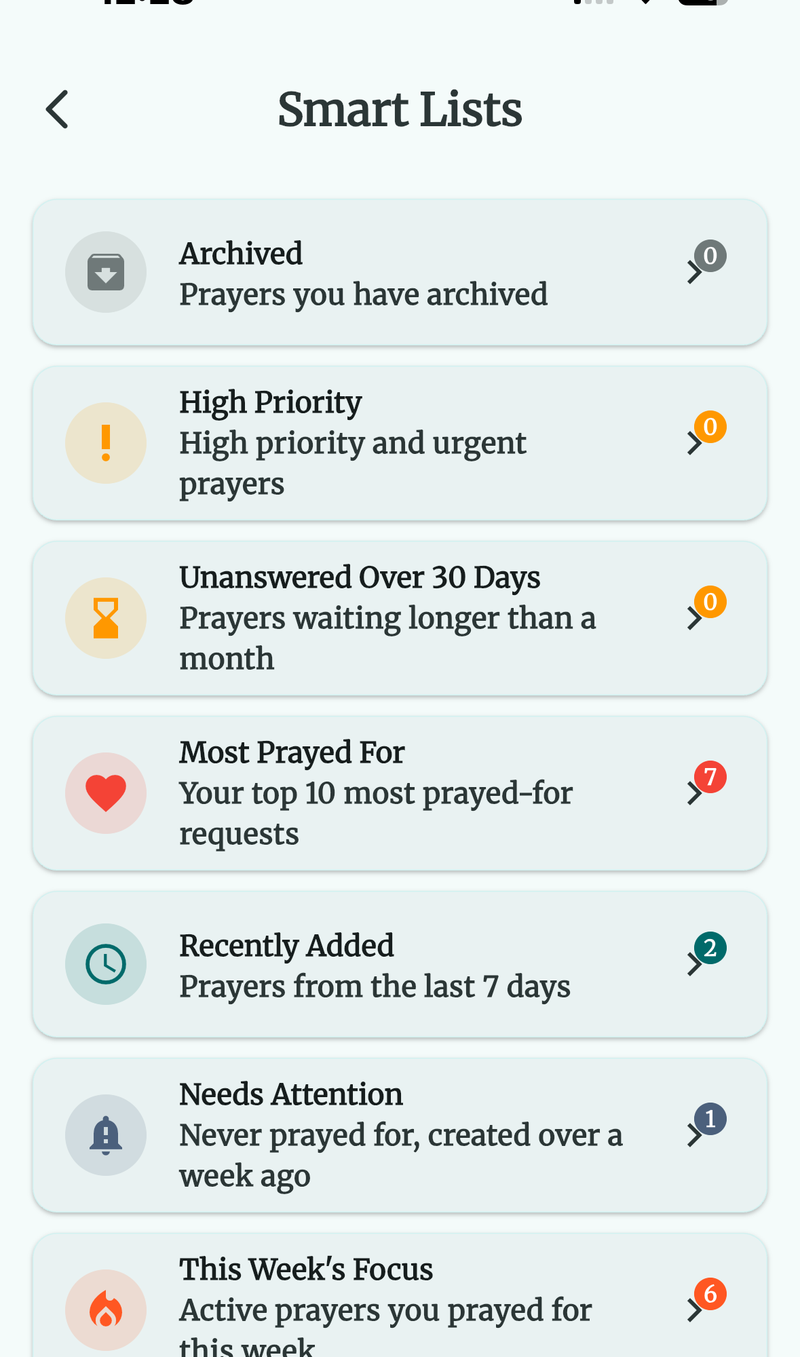
Free Smart Lists
These two lists are available to all users:
Archived
Shows all prayers you have archived. Archived prayers are removed from your active list but preserved for future reference. You can restore an archived prayer back to active status at any time.
High Priority
Displays all active prayers marked as High or Urgent priority. A quick way to focus on your most important prayer requests.
Premium Smart Lists
These five lists are available with a Premium subscription:
Unanswered Over 30 Days
Shows active prayers that have been on your list for more than 30 days without being marked as answered. This view helps you identify long-standing prayers that may need renewed attention or a fresh perspective.
Most Prayed For
Displays your top 10 prayers ranked by their prayed count, with the most frequently prayed-for items at the top. A great way to see which prayers are closest to your heart.
Recently Added
Lists prayers created in the last seven days. Helpful for quickly revisiting new prayer requests you may have added on the go.
Needs Attention
Surfaces active prayers that you have never prayed for and that were created over a week ago. This gentle nudge ensures no prayer slips through the cracks.
This Week’s Focus
Shows active prayers you have prayed for this week. A helpful view to see what you have already covered and what remains.
Each Smart List displays standard prayer cards with all the usual gestures — swipe to mark as prayed, tap for details, and more.
Calendar View (Premium)
The Calendar View gives you a color-coded monthly overview of your prayer activity. Access it from the menu on the Prayers tab.
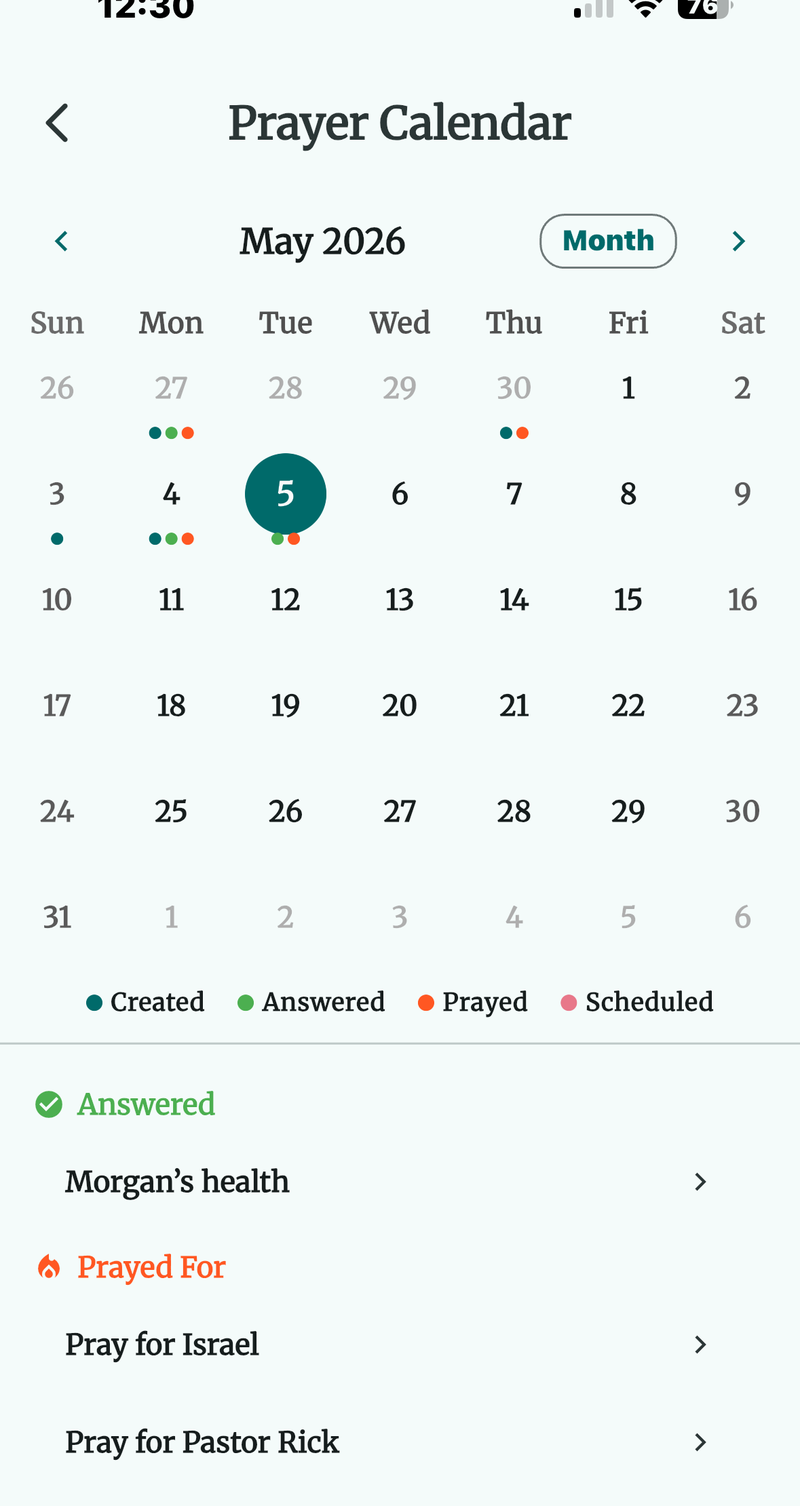
Color Legend
Each day in the calendar shows colored dots indicating what happened on that date:
| Color | Meaning |
|---|---|
| Blue | A prayer was created on this day. |
| Green | A prayer was marked as answered on this day. |
| Orange | You prayed for a prayer on this day. |
| Teal | A prayer has a scheduled prayer date on this day. |
Navigating the Calendar
- Toggle views — Switch between month, two-week, and week views to zoom in or out on your activity.
- Tap any day — See a detailed breakdown of all prayer activity for that date.
- Tap a prayer in the breakdown — Jump directly to the prayer detail screen.