Get up and running with Answered List in just a few moments.
Onboarding Walk-Through
When you first open Answered List, a brief onboarding walk-through introduces the app across three screens:
- Welcome — An overview of Answered List and what it can do for your prayer life.
- Privacy — Explains that all your data is stored locally on your device. No accounts, no cloud, no tracking.
- Reminder — Set a daily prayer reminder time so you never miss your prayer time.
You can skip the onboarding and configure these options later in Settings. After completing (or skipping) onboarding, you land on the Home screen.
App Navigation
Answered List is organized into five tabs, accessible from the bottom navigation bar on phones. On tablets, these are replaced by a navigation rail on the left side of the screen.
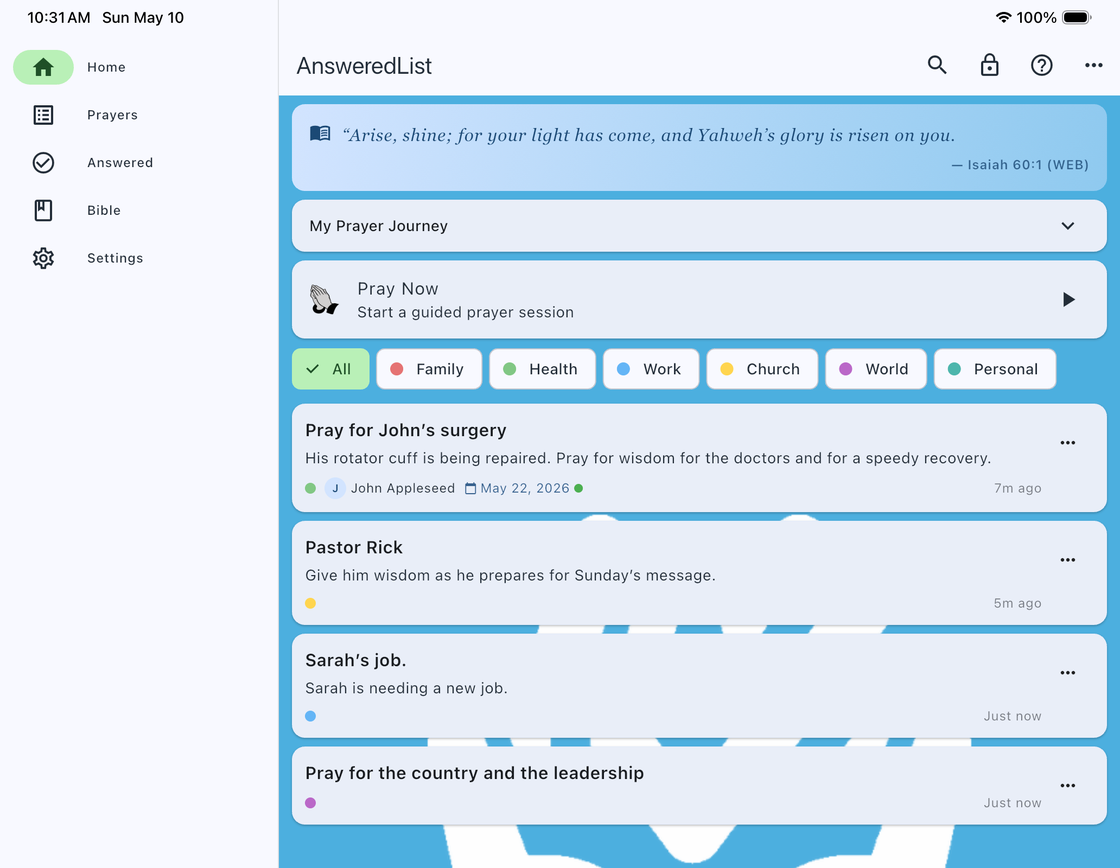
| Tab | Description |
|---|---|
| Home | Verse of the Day, prayer journey stats, and quick actions to jump into your prayer life. |
| Prayers | Your active prayer list. Add, organize, and interact with your current prayers. |
| Answered | A timeline of prayers God has answered, with notes and dates. |
| Bible | Verse of the Day, your favorite verses, and full Bible browsing — all offline. |
| Settings | Customize your experience: themes, reminders, sort order, and more. |