Create and organize your prayers with titles, categories, priorities, reminders, and more.
Opening the Prayer Form
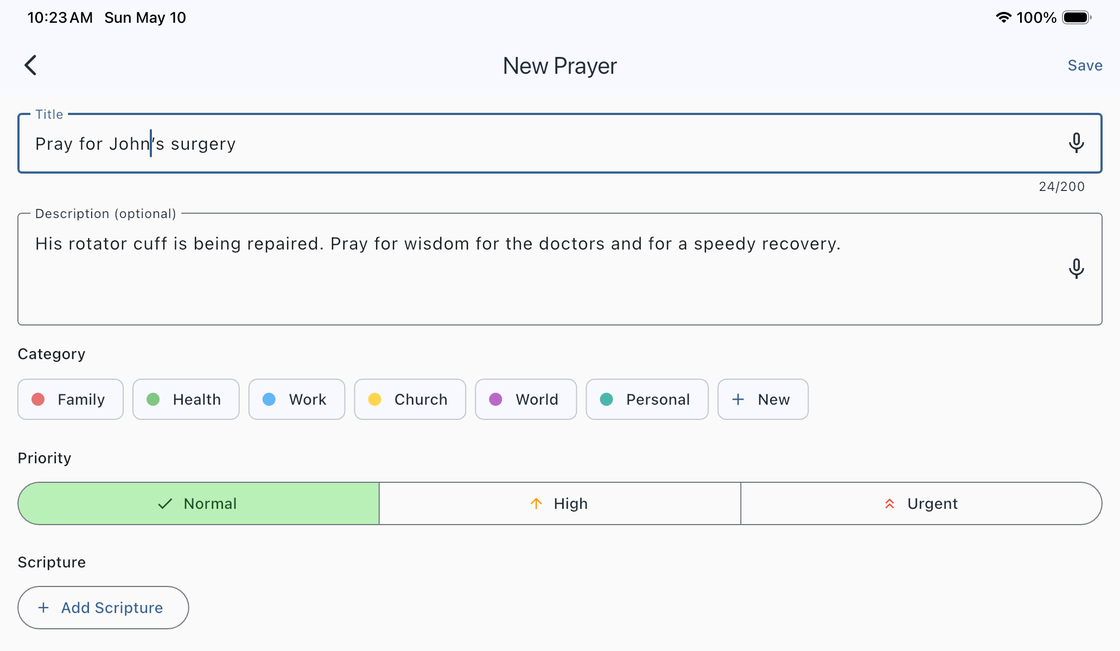
Tap the + button (the floating action button) to open the prayer form. Fill in the fields below, then tap the checkmark to save. The form validates that you have entered a title and selected a category before saving.
Prayer Form Fields
Title (Required)
Enter a title for your prayer, up to 200 characters. Voice input is supported — tap the microphone icon to speak your title instead of typing.
Description (Optional)
Add additional details or context for your prayer. Voice input is also supported here for hands-free entry.
Category (Required)
Tap a category chip to select one. To create a new category, tap + New and provide a name and color (choose from 12 color presets). Free users can create up to 6 categories. Premium users have unlimited categories.
Priority
Set the importance level of your prayer. Choose from three levels, each indicated by an arrow icon:

- Normal — Standard priority (default).
- High — Elevated importance.
- Urgent — Highest priority.
Prayer Date and Reminders (Optional)
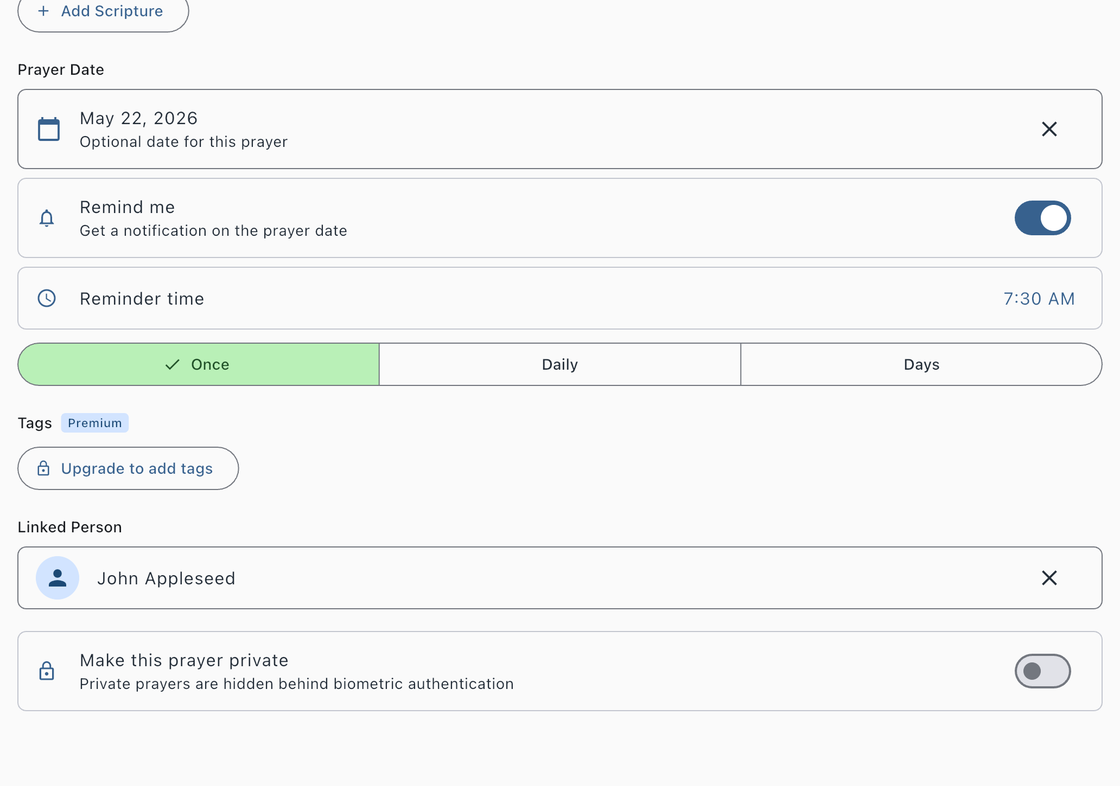
Open the calendar picker to set a specific date for this prayer. When a prayer date is set, a Remind me toggle appears. Enable it to schedule notifications with the following repeat options:
- Once — A single notification on the prayer date at your chosen time (default).
- Daily — A daily notification at your chosen time.
- Custom Days — Choose specific days of the week (Sunday through Saturday) to receive a notification at your chosen time.
Each reminder includes a time picker so you can set the exact hour and minute for your notification.
Tags (Premium)
Add up to 10 tags per prayer for flexible cross-referencing. As you type, existing tags are auto-suggested so you can maintain consistency across your prayer list.
Linked Person (Optional)
Link a prayer to someone from your device contacts. This lets you see all prayers associated with a particular person.
Linked Scripture (Optional)
Link Bible verses to your prayer. You can add linked verses from the Bible chapter reader (long-press a verse and choose “Link to Prayer”) or from the prayer detail screen after saving. Linked verses appear in a dedicated Scripture section on the prayer detail screen.
Make Private
Toggle this on to mark the prayer as private. Private prayers are protected by Face ID, fingerprint, or device passcode. They are completely hidden from the main prayer list and excluded from all exports.